Featured build · Integration case study

V1 Complete

RoleSync

Making member benefits depend on verified membership.

Discord roles mapped to Shopify tags, by priorityApp screenshot

RoleSync membership tiers

Membership tiers page listing Silver, Gold and Bronze, each with its Discord role, Shopify customer tag and priority.

Discord roles mapped to Shopify tags, by priority · App screenshot

Role
Sole developer & designer
Status
V1 complete
Outcome
Membership tiers mapping Discord roles to Shopify customer tags
Stack
TypeScript, React Router, Cloudflare Workers, D1

The problem

Knowing a discount code did not prove membership

I noticed that people were using Loot Card Shop's member discount codes who weren't supposed to. The shop needed a way to connect benefits to actual membership, rather than possession of a code.

Loot uses Discord roles to represent membership. Shopify needs that membership attached to the right customer before it can support member benefits. I designed and built RoleSync to connect those identities and translate configured roles into membership tiers.

Loot is the first merchant, with Hoardling and Hoardmaster as its initial tier mappings. Those names are configuration: each merchant has its own Discord server, role mappings, and customer connections.

MEE6 currently supplies Loot's paid-membership roles. The app depends on verified Discord roles, so billing can remain with the membership provider and benefit enforcement can remain with Shopify.

The experience

Two paths meet at verified membership

The merchant configures the connection

  1. Step 1

    Connect the Discord server

    The merchant authorizes the shared Discord bot for their server through the Shopify app.

  2. Step 2

    Map roles to tiers

    Configure which Discord roles resolve to each membership tier and its Shopify membership tag.

  3. Step 3

    Make membership visible

    Configure the customer account destination and use the merchant dashboard to inspect membership and synchronization status.

The customer connects their identity

  1. Step 1

    Open membership in Shopify

    An authenticated customer starts the Discord connection from their customer account.

  2. Step 2

    Authorize Discord

    The backend verifies the Discord identity and checks roles against the merchant's configuration.

  3. Step 3

    See the resolved status

    The account experience displays membership and verification status while Shopify updates are synchronized in the background.

Inside the app

What the merchant sees

Health and eligibility at a glance

Integration health, plan usage and customer statusApp screenshot

RoleSync dashboard

RoleSync dashboard showing Shopify and Discord connected, plan usage, and customer counts for connected, eligible, not eligible, unable to verify and pending.

Integration health, plan usage and customer status · App screenshot

The dashboard shows whether Shopify and Discord are connected and where each customer stands. Eligibility and verification health are counted separately. The counts describe the development store, not adoption or business impact.

Preview a change before it lands

Staged tag rename with affected customersApp screenshot

RoleSync staged change preview

Rename Shopify tag confirmation from membership-silver to membership-silver-2026, showing seven connected customers affected.

Staged tag rename with affected customers · App screenshot

Renaming a tag or changing a role is staged first. The preview shows how many connected customers the change affects and how it is applied. Eligible customers get the new tag, and the old one is removed once that succeeds.

Failures say what to do next

A failed Shopify update with a targeted retryApp screenshot

RoleSync customer sync status

Customer sync status with one customer needing attention because Shopify did not respond, a retry button, and two customers already updating.

A failed Shopify update with a targeted retry · App screenshot

When Shopify does not respond after several attempts, the customer is listed with the reason and a retry. Work already in progress is shown separately, so the merchant knows it needs nothing from them.

Every change is recorded

Configuration changes and their outcomesApp screenshot

RoleSync change history

Change history listing a tag rename, a priority change, tag assignments and a role mapping, each marked Done with its time.

Configuration changes and their outcomes · App screenshot

Tag renames, priority changes and new role mappings are listed with when they ran and whether they finished, so a merchant can see what changed and when.

System responsibilities

One source of membership truth

  1. Step 1

    Discord

    Provides identity and server-side role verification.

  2. Step 2

    Membership in D1

    Stores tenant-scoped identity, eligibility, tier, and verification health.

  3. Step 3

    Background queue

    Carries revisioned updates with retry and recovery handling.

  4. Step 4

    Shopify

    Receives derived customer membership state for use by the store.

Architecture diagram. The customer account reads membership status from the app; Shopify synchronization is a separate operation that can be pending or delayed.

Engineering decisions

Make the failure cases explicit

Identity comes from authenticated context

The backend resolves the customer and merchant from a verified Shopify session. Discord OAuth supplies an immutable user ID, and role checks run on the server. A browser-supplied tier or display name cannot establish membership.

Authorization and tenant-isolation tests exercise customer identity and cross-merchant boundaries.

An outage is a different state from lost eligibility

Verification health and membership eligibility are stored separately. If Discord cannot be reached, the last verified result is retained; a connection that has never been verified stays unknown. An authoritative role check can establish that a customer is no longer eligible.

State-transition tests cover temporary failure, never-verified customers, and authoritative role loss.

Shopify receives a copy of membership state

D1 owns the identity link and resolved membership. Shopify tags and app-controlled metafields are derived outputs. Keeping that boundary explicit lets synchronization fail or retry without turning a delayed Shopify update into a new membership decision.

Projection tests cover synchronization state and the data sent across the Shopify boundary.

Background work must tolerate repetition

Queued updates carry a membership revision. The synchronization service checks whether work is superseded or already complete and coordinates updates with a customer projection lock. Temporary failures use bounded backoff rather than immediate, unbounded retries.

Integration coverage exercises stale and repeated projection work; unit tests check retry delays.

Development approach

Specifications, boundaries, and regression coverage

As the sole developer and designer, I took the project from identifying the shop's discount-code problem through product design and implementation. I use GitHub Spec Kit to carry features from requirements into technical plans and implementation tasks.

Unit, integration, contract, customer-extension, and browser tests cover different boundaries of the system.

The focus is on behavior that matters across systems: which customer is authorized, which merchant owns the data, what an unavailable dependency means, and whether work can safely run again.

Current state

Version 1 is complete

Implemented
  • Discord account linking and tenant-scoped role verification
  • Merchant onboarding, tier configuration, and dashboard
  • Customer account membership experience
  • Queued Shopify synchronization and scheduled recovery
  • Staged configuration changes with affected-customer previews and change history
  • Customer sync status with targeted retries
  • Free and paid plans based on linked customers
Next

Rolling RoleSync out with Loot Card Shop and making it available to other Shopify merchants.

This case study describes the implementation. Production outcomes and operating costs are not reported here.

Next in the set

Featured build

Live
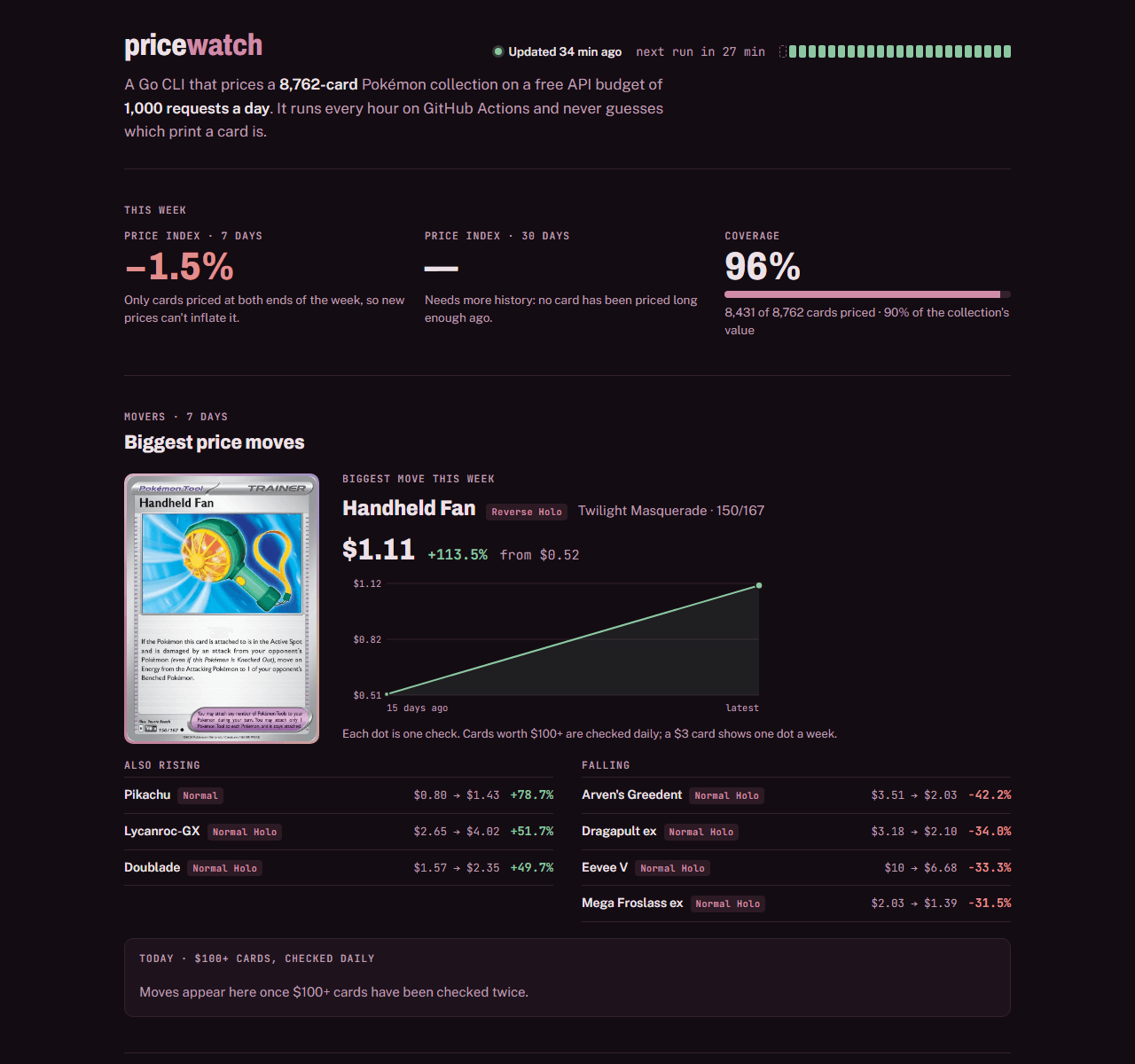
The pricewatch status page showing the price index, coverage and the week's biggest price moves.

pricewatch

A Go CLI that prices an 8,800-card collection on 1,000 API requests a day.

  • Go
  • SQLite
  • GitHub Actions

Case study 4 of 5. Up next: pricewatch.

Featured build

Live
A sample Job Hunt Pipeline digest with role cards showing fit scores and must-haves checklists.

Job Hunt Pipeline

A daily AI job search that screens LinkedIn roles against my rules and resume.

  • C#
  • .NET 10
  • Claude Code

Let's connect

If you're hiring, have a project in mind, or want to talk shop, I'd love to hear from you.

Email Me